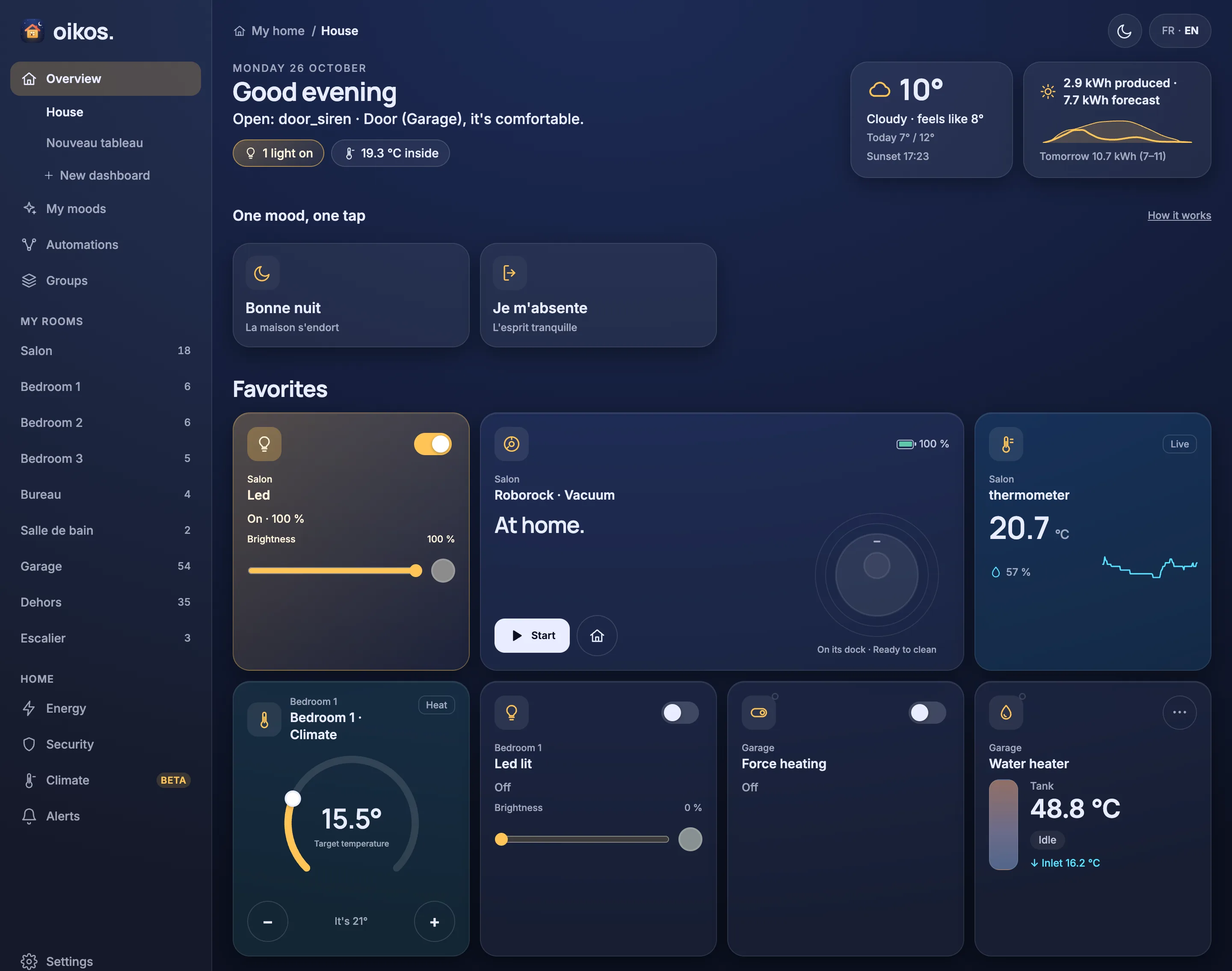
What it does
Everything a house needs, nothing it doesn't.
Dashboards
A House overview synthesized from your rooms, plus your own dashboards built from widgets: lights, covers, climate, cameras, charts.
Read moreFlows
Automations as small graphs: triggers, checks, waits and actions. Edit them on a canvas and replay what a run did.
Read moreEnergy
The live power flow of the house: solar, grid, battery and consumers, with the kWh of each paired counter.
Read moreClimateBeta
Heating and cooling by zone. The engine learns each room from history and proposes changes you approve or reject.
Read morePhone alerts and cameras
Push notifications to the Android app through Firebase, with Frigate camera events and their snapshots in the Alerts tab.
Read moreTalk to your house
The hub is an MCP server. Ask an assistant to inspect devices, build flows or change settings in plain words.
Read more
Flows
An n8n-style canvas for the house.
Wire a trigger to checks, actions and waits. Drag nodes, set their parameters, save. Every run is recorded, so you can replay what it did, step by step, and see why a light did or did not turn on.
How flows work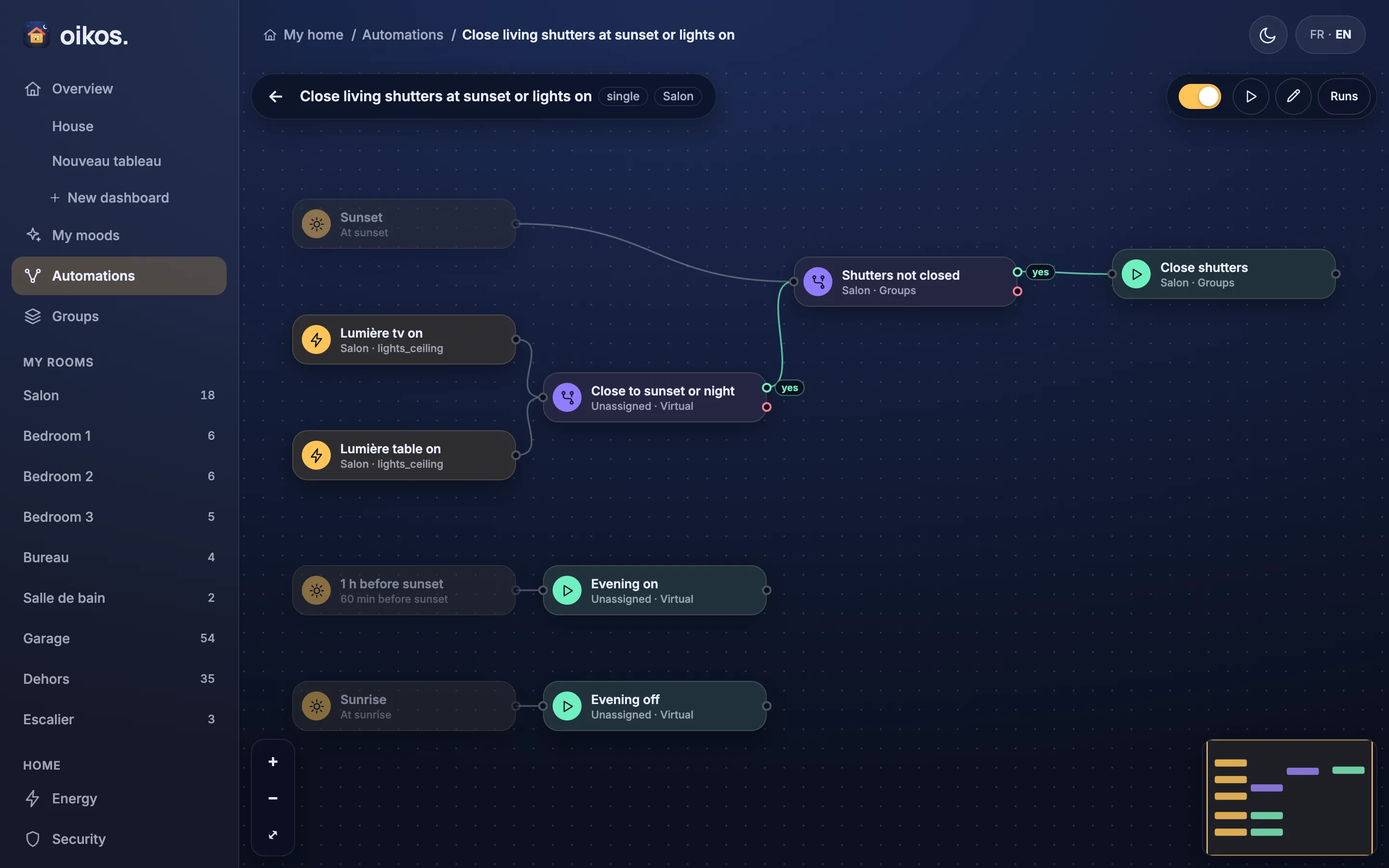
Energy
See where the power goes, live.
Solar on top, the house in the centre, the grid on the left and consumers on an arc. Lines thicken and run faster with power, and follow import or export.
About the Energy tab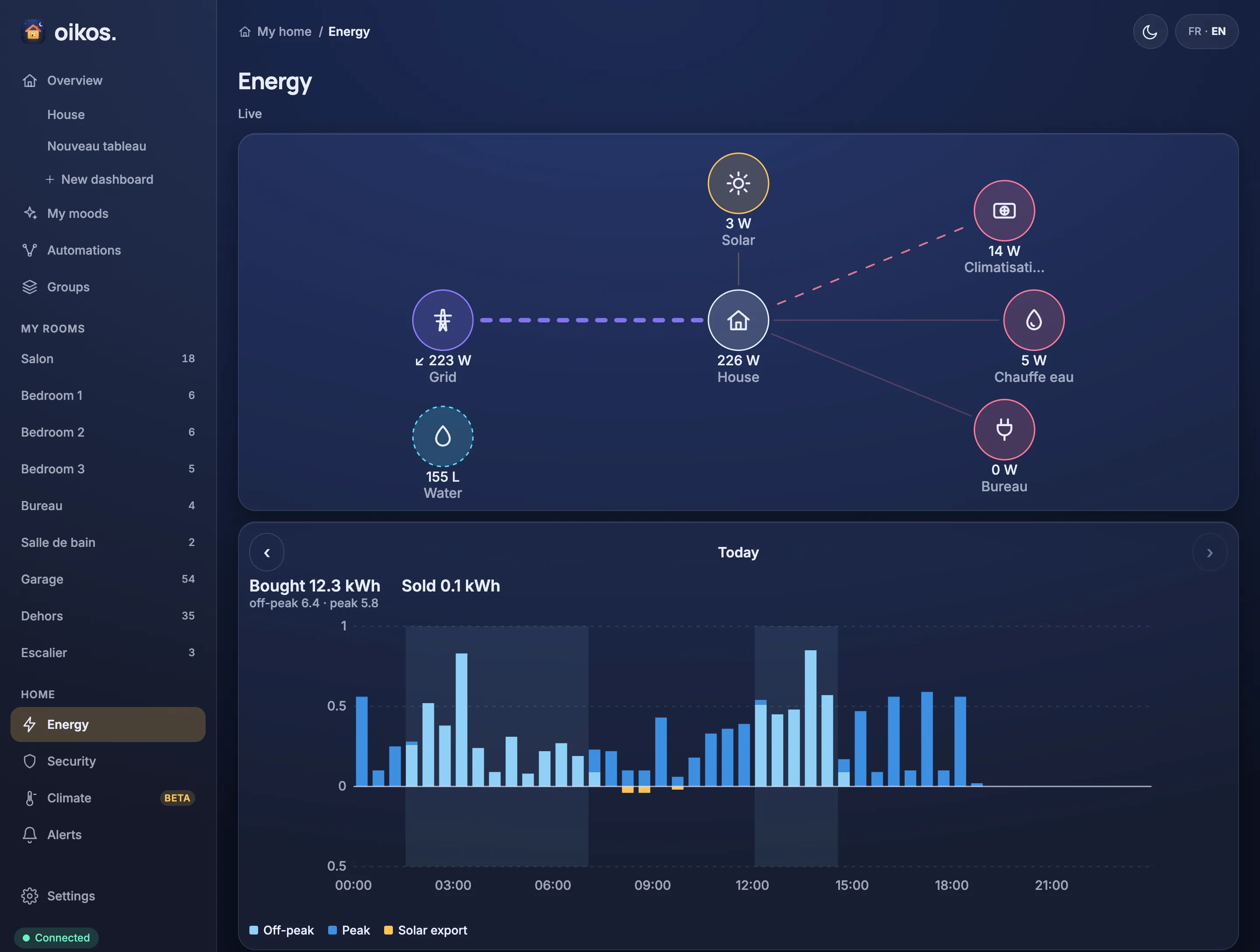
MCP-native
Talk to it, instead of a rules editor.
Add the hub to Claude Code, Codex or any MCP client with one line. The assistant sees the whole house and can create flows, rename rooms and read history for you.
Connect an assistantBring the house home.
One docker compose up on any Linux box next to your broker.
Version 1 has no authentication. Keep the hub on your LAN and off the internet. See Security.